

The Friendly AI Helper for Your Computer
DesktopBuddy can see your screen, understand what you’re doing, and run actions and commands for you – helping you get things done faster, safer, and without frustration.
- No credit card required
- Cancel anytime & no hidden charge
An AI Assistant That Helps - Not Just Talks
Understands Your Screen
Guides You Step by Step
Performs Actions for You
Let Your Buddy Do the Work
DesktopBuddy can draw directly on your screen, highlighting buttons, circling important areas, and guiding you visually through any task. Instead of relying on long explanations or confusing instructions, you see exactly what to click, where to look, and what to do next.
DesktopBuddy understands the entire page, not just what’s currently visible on your screen. It intelligently analyses articles, documents, emails, and text-heavy content to generate clear, concise summaries, helping you cut through information overload and focus instantly on what truly matters.
Automate browser tasks with AI. DesktopBuddy can log into websites, fill forms, and run automated actions, with tasks that can be scheduled and run in the background or live so you can watch every step.
DesktopBuddy remembers your preferences, conversations, and important details, so you never have to repeat yourself. From personal notes to ongoing tasks, your buddy stays aware of what matters to you, creating assistance that feels natural, intelligent, and truly personalised.
Whether you’re creating a work document, refining your CV, drafting a report, or updating existing files, DesktopBuddy works right alongside you. Create new content, edit what’s already there, and make instant changes effortlessly helping you stay focused and get things done with ease.
Whether you’re signing up for a service, completing applications, or entering your details online, DesktopBuddy works right alongside you. Fill out forms, update fields, and complete pages in seconds helping you stay focused and get things done with ease.
Turn text into stunning images in seconds. DesktopBuddy’s AI image generator creates unique photos and artwork from simple prompts, helping you quickly produce visuals for content, marketing, and creative projects with no design skills required.
More Than a Chatbot
Most chatbots can only answer questions. DesktopBuddy goes further by seeing what’s on your screen, understanding what you’re trying to do, and helping you complete tasks directly on your computer.
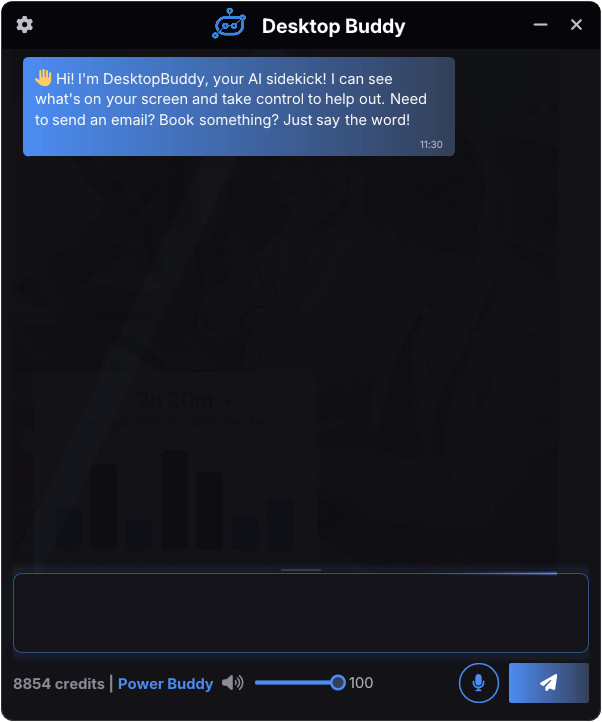
Everything You Need in an AI Desktop Assistant
AI-Powered Automation
Screen Awareness
Voice Assisted Help
Privacy & Permission Based
Desktop Control
Discreet Mode
Master Your Computer With AI Assistance
DesktopBuddy is designed to be easy for beginners and powerful enough for advanced users. Whether you need simple help or want to automate complex tasks, DesktopBuddy adapts to how you work.
Works With the Apps You Already Use
Built for Everyone
Always Safe & In Your Control
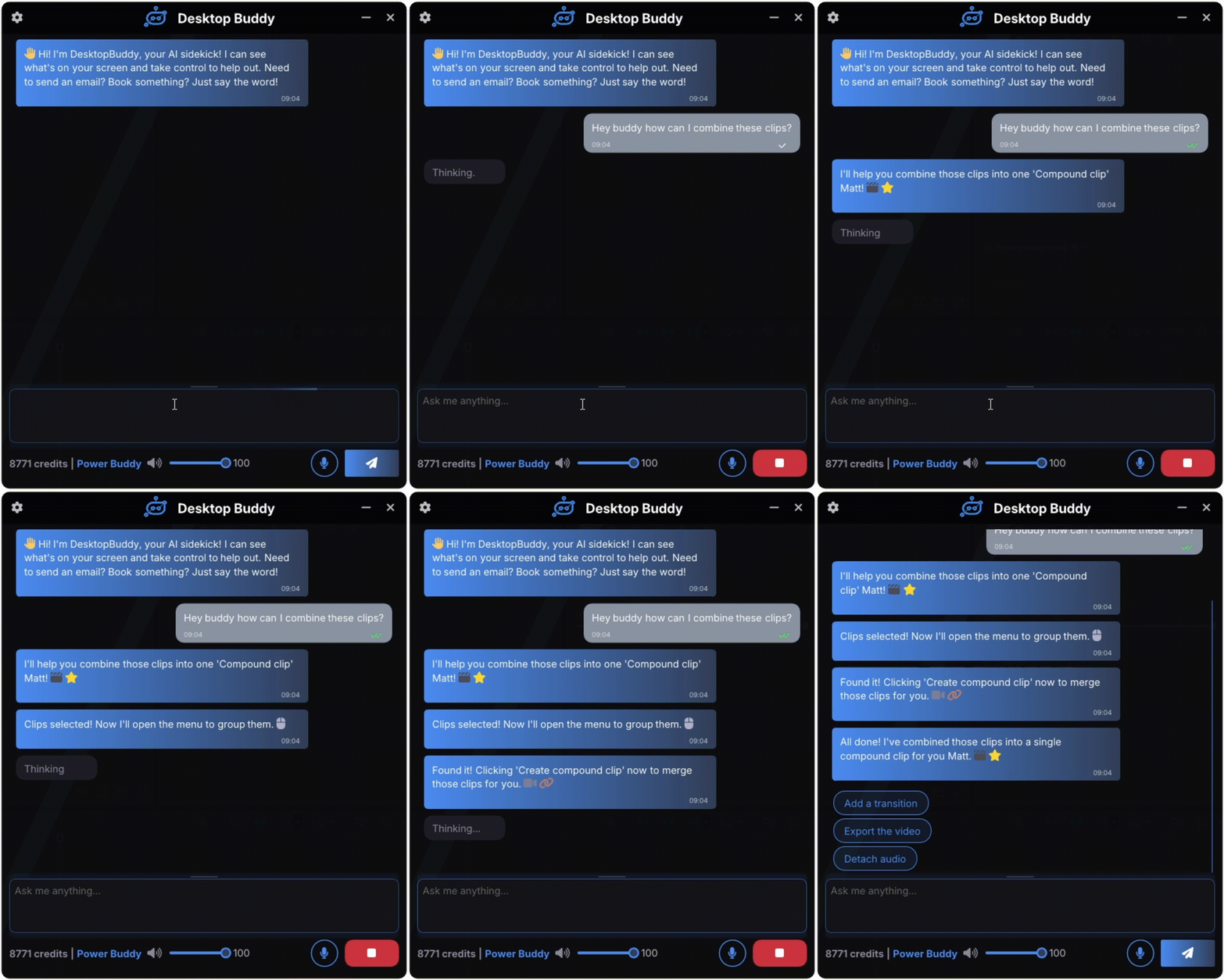
Designed to Stay Out of Your Way
DesktopBuddy fits naturally into your workspace. Snap it neatly beside your applications or let it float across your desktop. It stays visible when you need it and unobtrusive when you don’t.
Snap or Float
Instant Hide or Show
Let’s Save You Some Time
Start free, explore DesktopBuddy, and upgrade whenever you’re ready for more assistance.
- Monthly
- Yearly Save 23%
Starter Buddy
Smart Buddy
Power Buddy
Starter Buddy Package
- 100 Free Credits
- Quick AI Intelligence
- Step-by-Step Guidance
- Basic Desktop Control
- Natural Language Control
- Voice And Text Input
- Chat History
- Voice Responses
- Animations
- Mouse Clicks & Highlighting
- Smart Suggestions
- Multi Monitor Support
- Email support
- No credit card required
Smart Buddy Package
- 2,000 Credits Per Month
- Clever AI Intelligence
- Full Desktop Control
- Discreet Mode
- Smart Task Planning
- Context Memory
- Credential Manager
- Image Generation
- Clipboard Control
- Execute Actions & Commands
- Faster Responses
- Window Management
- Shell Commands
- File Editing
- Supports Larger Tasks & Requests
- Priority Support
Power Buddy Package
- 6,000 Credits Per Month
- Genius AI Intelligence
- Highest Priority Responses
- Clipboard & Window Control
- Advanced Smart Task Planning
- Persistent Long-Term Memory
- Full Desktop & Workflow Control
- Task Scheduler
- Automated Research Tasks
- Persistent Long-Term Memory
- Supports The Largest Tasks & Requests
- Premium Support
Smart Buddy
Power Buddy
Smart Buddy Package
- 2,000 Credits Per Month
- Clever AI Intelligence
- Full Desktop Control
- Discreet Mode
- Smart Task Planning
- Context Memory
- Credential Manager
- Image Generation
- Clipboard Control
- Execute Actions & Commands
- Faster Responses
- Window Management
- Shell Commands
- File Editing
- Supports Larger Tasks & Requests
- Priority Support
Power Buddy Package
- 6,000 Credits Per Month
- Genius AI Intelligence
- Highest Priority Responses
- Clipboard & Window Control
- Advanced Smart Task Planning
- Persistent Long-Term Memory
- Full Desktop & Workflow Control
- Task Scheduler
- Automated Research Tasks
- Persistent Long-Term Memory
- Supports The Largest Tasks & Requests
- Premium Support
- Secure Checkout
- Instant License Delivery
- Cancel Anytime
Why Users Love DesktopBuddy
Frequently Asked Questions
Everything you need to know about DesktopBuddy – from how it works to how it keeps you in control.
1. What is DesktopBuddy?
DesktopBuddy is your AI assistant for your computer. It can see what’s on your screen, understand what you’re trying to do, and help guide you through it step by step.
Instead of searching forums or watching long tutorials, you can simply ask your Buddy. It can explain things clearly, help you solve problems, and even perform actions for you like clicking buttons, opening apps, or typing commands when you allow it.
Think of DesktopBuddy as a helpful companion that makes using your computer easier, faster, and less frustrating.
2. How does DesktopBuddy understand my screen?
DesktopBuddy uses computer vision and AI to look at what’s visible on your screen and understand the layout of applications, buttons, menus, and messages.
When you ask a question or request help, your Buddy analyses the screen and figures out what you're trying to do. It can then guide you step by step, highlight important areas, or interact with the interface if you allow it.
This allows DesktopBuddy to help with almost any software because it understands what it sees rather than relying on pre-built integrations.
3. Can DesktopBuddy really control my computer?
Yes - but only when you allow it.
DesktopBuddy can perform actions like clicking buttons, typing text, opening programs, or navigating menus to help you complete tasks faster. Before doing anything important, your Buddy will always ask for your permission so you stay fully in control.
You can also choose when DesktopBuddy is allowed to act and when it should only guide you step by step instead.
4. Do I need technical knowledge to use it?
Not at all. DesktopBuddy is designed to be simple and easy to use for everyone.
You can just talk to your Buddy using normal language, like asking a question or explaining what you’re trying to do. DesktopBuddy will understand your request and help you through the process in a clear and friendly way.
Whether you're a beginner or an experienced user, DesktopBuddy adapts to help you get things done.
5. What operating systems are supported?
DesktopBuddy is currently designed for any Windows computers.
Because it works directly with your desktop environment, it can understand and interact with most Windows applications, websites, and system tools.
Support for additional platforms may be introduced in the future as DesktopBuddy continues to grow.
6. How do I install DesktopBuddy?
Getting started is quick and simple.
First, create your account and download the DesktopBuddy installer from the website. Once downloaded, just run the installer and follow the setup instructions.
After installation, sign in to your account and your Buddy will be ready to help. From there you can start asking questions, getting guidance, or letting DesktopBuddy assist with tasks on your computer.
1. Can DesktopBuddy see everything on my screen?
DesktopBuddy only looks at your screen when you ask it for help.
When you request assistance, your Buddy briefly analyses what’s visible on your screen so it can understand the buttons, menus, and information related to your task. This allows it to guide you or perform actions accurately.
Outside of those moments, DesktopBuddy is not constantly watching your computer. You remain fully in control of when your Buddy is allowed to view your screen.
2. Is my data private?
Yes. Your privacy is extremely important to us.
DesktopBuddy is designed to help you locally on your own computer while keeping your information secure. Only the information necessary to understand your request is processed, and we never access your personal files, messages, or data unless you explicitly ask your Buddy to help with something related to them.
Your data is never sold, shared, or used for advertising.
3. Does DesktopBuddy store screenshots or personal information?
No, DesktopBuddy does not permanently store screenshots of your screen.
When your Buddy analyses the screen to help you, that information is used only for the current request and is not saved long term. This ensures your private information stays private.
DesktopBuddy is built to assist you in the moment, not to collect or store your personal data.
4. Can DesktopBuddy make changes without permission?
By default, DesktopBuddy will ask before performing actions like clicking, typing, or running commands so you always stay in control.
If you prefer a more hands-off experience, you can change this behaviour in the settings and allow your Buddy to perform approved actions automatically.
You can adjust these permissions at any time, giving you full control over how much assistance DesktopBuddy provides.
5. Is it safe to use DesktopBuddy on my work computer?
DesktopBuddy is designed to be safe and respectful of your environment.
Because you stay in control of when your Buddy can view the screen or perform actions, you can decide when and where to use it. Many people use DesktopBuddy to help navigate software, automate small tasks, or learn unfamiliar tools.
If your workplace has strict IT policies, it’s always a good idea to check with your organisation before installing any new software.
1. What are credits and how do they work?
Credits are what power DesktopBuddy.
Each time your Buddy helps with a request, understands your screen, or performs an action, a small number of credits are used to process that task. This allows DesktopBuddy to run powerful AI models while keeping the service fast and reliable.
For most everyday help, the usage is quite small. In general, the Quick model uses around 1 credit, Clever uses around 2 credits, and Genius uses around 3 credits for a typical request.
More advanced tasks such as longer conversations, large summaries, document edits, or complex requests may use a few additional credits because they require more processing.
Each plan includes a number of monthly credits, and you can always purchase additional credit top-ups if you need more.
2. What happens if I run out of credits?
If you run out of credits, your Buddy will simply pause until more credits are available.
You can quickly purchase credit top-ups from the store to continue using DesktopBuddy right away, or wait until your monthly plan refreshes and your credits are automatically restored.
This means you’re never locked out - you can always add more credits whenever you need them.
3. Can I upgrade or downgrade my plan?
Yes, you can change your plan at any time.
If you upgrade, your new limits and features become available immediately so you can start using your Buddy without interruption. If you downgrade, the change will take effect at the start of your next billing cycle.
This flexibility allows you to choose the plan that best fits your needs as you use DesktopBuddy.
4. Do unused credits roll over?
Credits reset each month based on your subscription plan.
This helps keep the system fair and ensures resources are always available when you need them. If you find yourself regularly using all of your credits, upgrading to a larger plan may give you a smoother experience.
5. Can I cancel my subscription anytime?
Yes. You can cancel your subscription whenever you like under My Account > Subscriptions.
Your plan will remain active until the end of your current billing period, so you’ll still be able to use DesktopBuddy until that time. After that, your account will simply revert to the free plan.
There are no long-term contracts or commitments.
6. How do I contact support?
If you ever need help, we’re here for you.
You can reach out through the contact page on the website or by emailing our support team at info@desktopbuddy.ai. We aim to respond as quickly as possible and are always happy to help with questions, feedback, or technical issues.
Your Buddy may be powered by AI, but there are real people behind it ready to assist when needed.