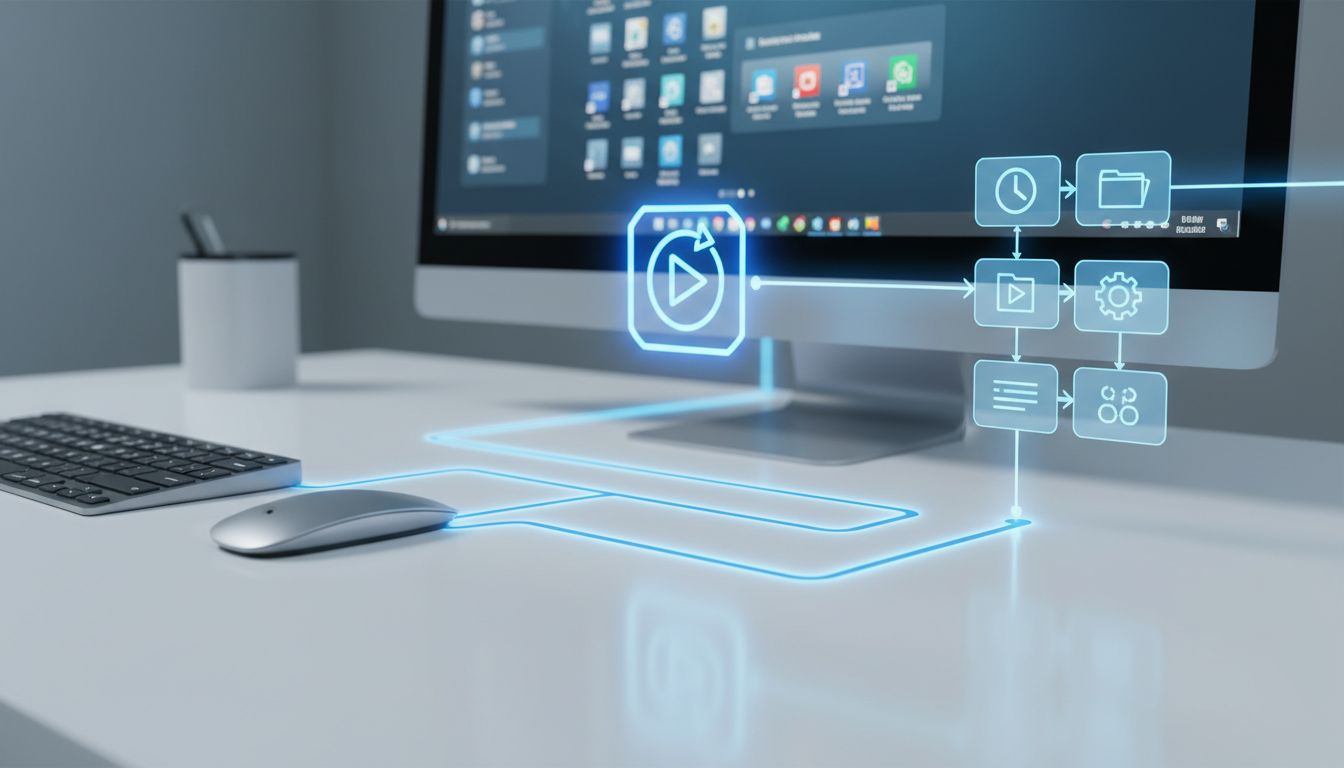

Office teams have spent the last few years getting used to AI as a fast answer engine. You ask a question, rewrite an email, summarize a document, or generate a draft, and the tool responds right away. That has been useful, but it still leaves people doing a lot of the follow-up work themselves: checking context, switching between apps, remembering deadlines, coordinating next steps, and keeping a process moving over time.
Microsoft is now pushing a different idea with Copilot Cowork: AI that behaves less like a chatbot and more like an on-the-job assistant. Announced as part of Microsoft’s 2026 push inside Microsoft 365 Copilot, Copilot Cowork is designed for long-running, multi-step work that unfolds over time. For office teams, that shift matters because many real tasks are not one-and-done prompts. They are ongoing workflows spread across email, calendars, documents, meetings, and approvals.
From prompt-response AI to work that keeps going
On March 9, 2026, Microsoft formally described Copilot Cowork as bringing the technology that powers Claude Cowork into Microsoft 365 Copilot. The important phrase in that announcement was that it enables work that “unfolds over time.” That wording marks a clear move away from the traditional chat model, where AI helps in a moment, toward agent-like execution that can continue across steps and stages.
For non-technical office users, this is an easy distinction to understand. A chatbot helps you with a task. An on-the-job assistant helps you carry the task through. Instead of only drafting the first email or summarizing the first file, Copilot Cowork is meant to keep track of the goal, use the surrounding Microsoft 365 context, and support the next actions needed to move work forward.
Microsoft reinforced this direction again in its March 17, 2026 leadership update, where it grouped Copilot Tasks, Copilot Cowork, agentic capabilities in Office, and Agent 365 together as part of the next phase of Copilot. The message was clear: the company sees the future of workplace AI as less manual coordination and more practical execution inside everyday office workflows.
Why Copilot Cowork feels more like an assistant beside you
The core promise of Copilot Cowork is not simply smarter writing or better search. Microsoft says Cowork integrates data across Microsoft 365 apps, including email, calendars, and documents, and can plan and execute multi-step tasks based on a user’s goals and work context. That sounds much closer to the idea of a digital assistant sitting beside a worker than a standalone text box waiting for instructions.
This matters because office work is deeply contextual. A follow-up message makes more sense when it is connected to the meeting that created the action item. A status summary becomes more useful when it pulls from the latest documents, threads, and scheduling information. A reminder or recommendation is more timely when it can see where a process is stalled. Copilot Cowork is being positioned around this connected view of work.
That “assistant beside me” idea is also showing up in Microsoft customer stories. In legal operations, ILUNION’s José Luis Barceló described a legal agent by saying, “With the Litigator agent, in 40 seconds, you can be informed with the main concepts of the case,” and noted that teams were interested in how Copilot agents can create assistants that sit beside lawyers and help them work. Copilot Cowork brings that same concept into broader office environments.
Built with Anthropic and designed as a multi-model system
One of the most important recent facts about Copilot Cowork is that Microsoft has said it was built in close collaboration with Anthropic. That is notable because many people still assume Microsoft’s workplace AI story is only about OpenAI. In reality, the company is widening model choice and using Anthropic technology as a central part of sustained, multi-step execution inside Microsoft 365 Copilot.
Microsoft has also been explicit that this is not just a single-model chatbot wrapped in Office branding. In its March 31, 2026 update tied to Frontier availability, the company described a multi-model workflow architecture with clearly defined roles. One especially interesting layer is “Critique,” where Anthropic’s Claude reviews output generated by OpenAI’s GPT before the result reaches the user.
For office teams, the technical detail matters because it points to a practical benefit: better quality control. Microsoft said its multi-model “Researcher with Critique” outperformed other deep-research systems on the DRACO benchmark, improving the aggregate score by 7.0 points and surpassing the top-ranked system in the cited study by 13.88%. In plain English, Microsoft is arguing that orchestrating multiple models can produce more reliable assistant workflows than relying on one model alone.
How Copilot Cowork fits into Microsoft’s Frontier Suite
Copilot Cowork is not arriving as an isolated feature. Microsoft introduced it as part of its new Frontier Suite, described on March 9, 2026 as the first Frontier Suite built on “Intelligence + Trust.” That packaging matters because it signals that Microsoft sees Cowork as a flagship capability in a broader enterprise AI strategy, not as a side experiment.
Then, on March 31, 2026, Microsoft announced that Copilot Cowork had entered the Frontier Program. This gives customers access to long-running, multi-step work processes within Microsoft 365 Copilot. For buyers and team leaders, that update is important because it moves Cowork from a future-facing concept into something customers can begin accessing through a defined rollout path.
Media coverage has echoed this framing. Axios described Cowork as an enterprise AI agent embedded in Office workflows and highlighted Microsoft’s “right model for the job” positioning. ITPro also reported that Microsoft was rolling it out as a productivity-focused agent layer in Microsoft 365, helping teams automate tasks and boost productivity. Together, these updates show that Copilot Cowork is being introduced as part of a major platform shift.
What this could mean for everyday office teams
For small teams and knowledge workers, the biggest value of Copilot Cowork may be reducing the invisible work around work. Many office days are consumed by handoffs, reminders, follow-ups, document checks, scheduling adjustments, and status chasing. These tasks are important, but they often interrupt concentration and slow down higher-value work.
Microsoft’s own language around Cowork is centered on solving exactly that problem. In its March 17, 2026 update, the company said these connected experiences help customers “spend more time on higher-value work and reduce manual coordination” while giving people “more agency and empowerment.” That is a helpful way to think about the tool: not as something that replaces team members, but as something that removes repetitive coordination over.
Imagine a project coordinator who needs to prepare a client check-in, gather recent edits from shared documents, identify open questions from email threads, confirm timing from calendars, and prompt teammates for missing updates. Those are the kinds of multi-step office processes that make people feel busy without always feeling productive. Copilot Cowork is being positioned to support exactly these ongoing, cross-app tasks.
Governance, permissions, and trust matter as much as automation
Microsoft is also tying Copilot Cowork to governance and control, not just speed. In its readiness guidance, the company says organizations need a unified view of agents across Microsoft 365 Copilot and Copilot Studio through Agent 365. That reflects an important reality: once agents move into real workflows, companies need to know what they can access, what they are allowed to do, and how they are being used.
This is especially important because Microsoft itself says agents are entering real business workflows, where different tasks require different permissions and controls. A helpful assistant that can pull information across email, calendars, and documents also needs guardrails. Teams want convenience, but they also want confidence that sensitive information is handled appropriately and that automated steps stay within policy.
There is also a useful nuance for enterprise buyers: as of March 2026, Microsoft Learn said Anthropic models used in Microsoft offerings were excluded from the EU Data Boundary and some in-country processing commitments at that time, with full availability expected by the end of March 2026. For many teams this may be temporary, but it shows why governance discussions belong alongside productivity conversations when evaluating Copilot Cowork.
The bigger trend: agents are becoming something office teams can actually build and use
Copilot Cowork is part of a larger shift in how Microsoft wants people to work with AI. The company says conversation has become the “agent-making interface” in Copilot Studio and Microsoft 365 Copilot Chat, with the goal of letting everyone on a team build agents. That democratization strengthens the idea that agentic assistance is becoming a normal part of office work, not just a tool for developers or IT specialists.
For non-technical users, that is a meaningful change. Instead of learning complex automation software, teams can increasingly describe what they need in plain language and shape assistants around their actual workflows. Over time, this lowers the barrier to creating specialized helpers for tasks like intake, reporting, scheduling, document review, or customer follow-up.
Copilot Cowork fits into that future by acting as a ready-made example of what these assistants can become when they are deeply connected to workplace context. It is not only about one product feature. It is about normalizing the idea that office software can include persistent helpers that understand goals, stay aware of ongoing tasks, and support workers throughout the day.
Why Microsoft believes this model can scale in real organizations
One reason Microsoft’s Copilot Cowork story stands out is that the company can point to large internal and customer-facing precedents for assistant-at-work scenarios. In HR, Microsoft has described supporting more than 190,000 employees across 109 countries, with 2,300 HR employees handling 900,000 support cases and 1.5 million data transactions annually. Copilot has been used there to automate routine tasks, accelerate analytics, and assist support teams.
The same pattern appears in Microsoft’s customer support organization, which serves more than 1 billion customers, operates 92 contact centers across 120 countries and 50 languages, and handles more than 145 million interactions annually. In that environment, Copilot has been used to reduce time spent on manual work such as composing replies and finding information. Those examples help explain why Microsoft is now pushing beyond chat and into workflow execution.
In other words, Copilot Cowork is not being presented as a flashy demo. It is being framed as the next step in making AI useful inside real operating environments where scale, coordination, and consistency matter. That is why the product story keeps returning to long-running processes, trust, and work context rather than just clever responses.
Copilot Cowork shows how Microsoft wants AI to evolve inside the office: from something you consult occasionally into something that actively helps carry work forward. By combining Microsoft 365 context, multi-step execution, Anthropic collaboration, and stronger governance through Agent 365, the company is trying to turn agents into practical on-the-job assistants for teams.
For office workers, the appeal is simple. The best assistant is not the one that only answers quickly, but the one that reduces friction, keeps projects moving, and helps you spend less time juggling tools and more time doing meaningful work. If Microsoft delivers on that promise, Copilot Cowork could become an important step in the shift from AI chat to real workplace assistance.